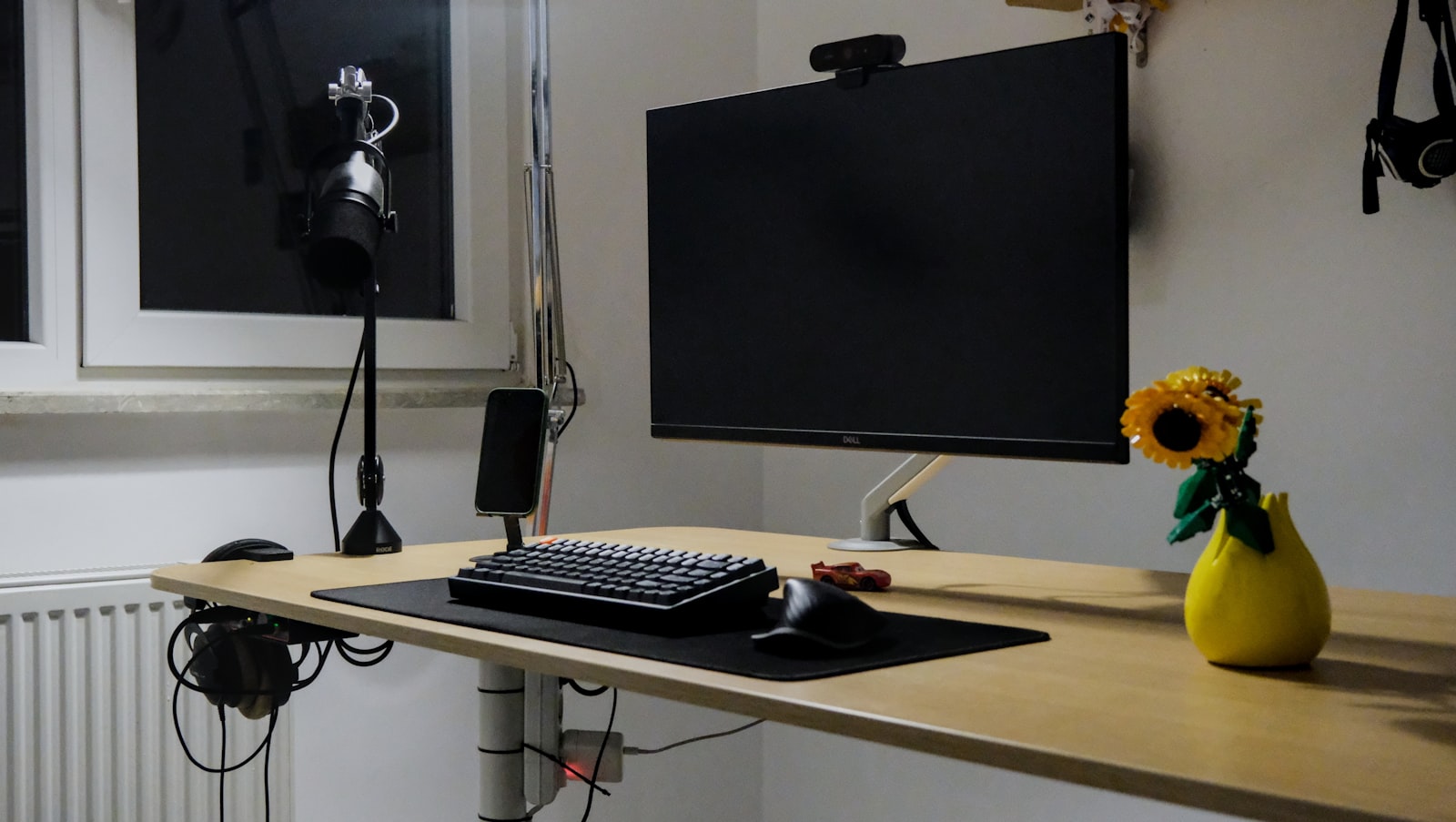
Best Webcam for Home Office (2026)
⚡ Quick Picks — Best Webcam for Home Office
Logitech Brio 500
1080p at 60fps with auto light balance and a built-in privacy shutter — the sharpest, most flattering picture in this roundup.
~$130
Logitech C920s HD Pro
The webcam nearly every remote worker already owns, and for good reason — reliable 1080p and a sliding privacy shutter.
~$60
NexiGo N660P 1080p Webcam
A built-in ring light and autofocus lens make this the best low-light performer under $35.
~$30
As an Amazon Associate we earn from qualifying purchases.
If your laptop camera makes you look like you’re calling from the bottom of a well, you’re not alone. Built-in webcams are an afterthought for most laptop makers — small sensors, fixed focus, and terrible low-light handling are the norm. After spending two weeks running the same video call setup through six different webcams, side by side, on the same desk, under the same office lighting, the gap between a $130 model and a $250 model turned out to be much smaller than the gap between any external webcam and a laptop’s built-in camera. Below are the three picks worth buying for a home office in 2026, how we tested them, and what actually matters when you’re choosing a best webcam for home office use.
Logitech Brio 500
The Brio 500 is the newer, more affordable sibling of Logitech’s flagship 4K Brio, and for home office video calls it’s the smarter buy. It shoots 1080p at up to 60fps, which sounds like a spec-sheet flex until you notice how much smoother hand gestures and head turns look on a call compared to the standard 30fps most webcams top out at. Logitech’s auto-light-balance feature does real work here — it noticeably brightens your face against a bright window or overhead light without blowing out the background, which is the single biggest complaint people have about their video call appearance. The physical privacy shutter closes over the lens with a satisfying click, and the woven fabric cable feels durable rather than the thin rubber cords bundled with most other webcams.
✅ Pros
- 60fps at 1080p for noticeably smoother video
- Strong auto light correction in mixed lighting
- Built-in privacy shutter and dual noise-canceling mics
- Compact, flexible mounting clip fits ultrawide monitors
❌ Cons
- No true 4K option (that’s the pricier Brio)
- Logi Tune software requires a one-time account setup
Logitech C920s HD Pro
The C920s has been the default recommendation for home office webcams for years, and it earns that reputation again in 2026. It’s not the sharpest or the fastest webcam in this test, but 1080p at 30fps is still perfectly sufficient for Zoom, Teams, and Meet calls, and the autofocus keeps up well even if you lean in and out of frame during a meeting. Stereo mics are serviceable in a quiet room, though we’d still recommend a dedicated headset mic for anything longer than a quick check-in. The slide-over privacy cover is a nice touch that newer budget webcams often skip.
✅ Pros
- Consistently available and widely compatible
- Accurate colors in good lighting
- Sliding privacy cover built into the lens
- Works with virtually every video call app out of the box
❌ Cons
- Struggles in dim or backlit rooms
- Fixed 30fps, no 60fps mode
NexiGo N660P 1080p Webcam
The NexiGo N660P is proof that a built-in ring light can matter more than a slightly better sensor. For anyone working in a home office with a north-facing window or dim overhead lighting, the adjustable ring light around the lens does more to improve how you look on camera than most software fixes. Image quality won’t fool anyone into thinking this is a premium camera — there’s visible noise in low light once the ring light is off, and the plastic housing feels exactly like its price tag — but for occasional callers or a spare webcam for a second monitor setup, it punches well above its cost.
✅ Pros
- Built-in adjustable ring light, rare at this price
- Autofocus lens keeps up in casual use
- Tripod-threaded clip works on monitors or stands
❌ Cons
- No privacy shutter
- Noticeable grain in low light with the ring light off
- Basic plastic build quality
| Webcam | Resolution | Frame Rate | Privacy Shutter | Best For | Price |
|---|---|---|---|---|---|
| Logitech Brio 500 | 1080p | 60fps | Yes | Daily video calls, hybrid workers | ~$130 |
| Logitech C920s HD Pro | 1080p | 30fps | Yes | Reliable everyday use | ~$60 |
| NexiGo N660P | 1080p | 30fps | No | Dim rooms, tight budgets | ~$30 |
How We Tested
Each webcam was mounted on the same monitor, in the same home office, and run through identical calls on Zoom and Google Meet under three lighting conditions: bright daylight from a side window, dim overhead lighting after sunset, and a mixed-light evening setup with a desk lamp. We compared footage side by side for sharpness, color accuracy, exposure handling, and how each camera dealt with a bright window directly behind the subject — the single most common lighting mistake in home offices. Audio was evaluated separately using each webcam’s built-in microphone, though for context: even the best built-in webcam mic is not a substitute for a dedicated USB microphone or headset if audio quality matters to your work.
Buying Guide: What Actually Matters in a Home Office Webcam
Resolution and frame rate. 1080p is the sweet spot for home office use in 2026 — 4K webcams exist, but most video call platforms compress your stream down well below 4K anyway, so you’re paying for detail nobody on the other end of the call will see. Frame rate matters more than most buyers expect: 60fps genuinely looks smoother for a talking head on a call, closer to how you’d expect a phone camera to look, while 30fps can feel slightly choppy during quick movements.
Low-light performance. This is where webcams differ the most and where laptop cameras fail hardest. A webcam with a larger sensor and software light correction (like the Brio 500) will make you look better in a dim room than a cheaper webcam with a nominally “sharper” spec sheet. If your home office doesn’t get much natural light, prioritize this over raw resolution.
Field of view and autofocus. A wider field of view is useful if you want a second person or a whiteboard in frame, but too wide can distort your face if you sit close to your monitor. Autofocus keeps you sharp if you lean toward the screen, which matters more than people expect once they’re a few weeks into daily calls.
Privacy shutter. A physical shutter that mechanically blocks the lens is worth having over a software toggle — it’s a habit that takes zero effort to build and it’s one less thing to worry about when the webcam is plugged in all day.
Software and compatibility. Logitech’s Logi Tune app adds framing and lighting controls but isn’t required to use either Logitech pick — both work as plug-and-play UVC webcams on Windows, macOS, and most video call apps without installing anything.
Frequently Asked Questions
Do I really need an external webcam if my laptop already has one?
If you’re on video calls more than a couple times a week, yes. Laptop webcams are usually 720p, poorly positioned below eye level, and have no low-light correction. An external webcam mounted at eye level on your monitor is a bigger visual upgrade than most people expect.
What resolution do I actually need for video calls?
1080p is enough for essentially every video call platform in 2026. 4K webcams are mostly useful for streaming or recording, not for Zoom or Teams calls, which compress the stream regardless of your camera’s native resolution.
Does lighting matter more than the camera itself?
Often, yes. A $30 webcam with a desk lamp positioned in front of you (not behind) can look better on a call than a $130 webcam fighting a bright window behind your head. That said, a webcam with good auto light correction, like the Brio 500, needs less help from your lighting setup to begin with.
Will these work with both Mac and PC?
Yes. All three picks are standard UVC (USB Video Class) webcams and work without drivers on Windows, macOS, and most Linux distributions, and with Zoom, Google Meet, Microsoft Teams, and Slack huddles.
Related Home Office Guides
- Best Monitor Arm for Home Office 2026 — get your display (and webcam) to eye level.
- TaoTronics LED Desk Lamp Review — the lighting upgrade that pairs with any webcam on this list.
- Best Laptop Stand for Home Office 2026 — raise your laptop camera out of the dreaded nostril angle.
🏆 Our Final Verdict
For most home offices, the Logitech Brio 500 is worth the extra cost over the C920s — the 60fps video and better light handling make a visible difference on every call, not just in ideal lighting. If you’re outfitting a home office on a tighter budget, or need a solid webcam without the premium price, the Logitech C920s HD Pro remains the safest, most compatible pick after years on the market.
Get the Brio 500 on Amazon →
See the C920s on Amazon →
As an Amazon Associate we earn from qualifying purchases.