Best Mechanical Keyboard for Home Office (2026): Type Better, Work Faster
Why Mechanical Keyboards Are Worth It
If you type 5,000+ words per day, a mechanical keyboard pays for itself in reduced typos, faster typing speed, and reduced finger fatigue. The tactile feedback from mechanical switches helps you know each keystroke registered without bottoming out the key.
Understanding Switch Types
- Linear (Red, Yellow): Smooth, quiet, no tactile bump. Best for gaming or quiet offices.
- Tactile (Brown, Clear): Satisfying bump without a loud click. Best for home offices where noise matters.
- Clicky (Blue, Green): Loud, satisfying click. Best if you work alone — annoying for calls.
Top Mechanical Keyboard Picks
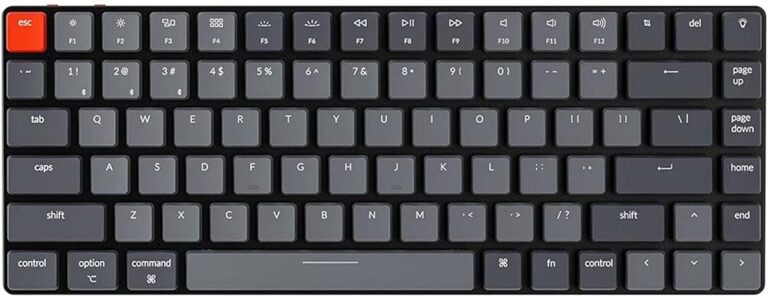
1. Keychron K2 Pro — Best Overall
Wireless Bluetooth + USB-C wired, hot-swappable switches, aluminum frame, and Mac/Windows compatible. Available with Red, Brown, or Blue switches. Price: ~$99
2. Logitech MX Mechanical — Best for Office Use
Ultra-quiet tactile switches designed specifically for offices. Smart Illumination, multi-device pairing, and a familiar layout. Price: ~$109
3. Arteck HW193 — Best Budget Mechanical
Under $30, this board uses Blue switches and delivers a satisfying typing experience. No wireless, but excellent build quality for the price. Price: ~$27
FAQ
Are mechanical keyboards loud?
It depends on the switch. Tactile switches (Brown) are comparable in volume to membrane keyboards. Only Clicky switches (Blue) are noticeably louder.
How long do mechanical keyboards last?
Quality mechanical keyboards are rated for 50–100 million keystrokes per key — roughly 10–20 years of heavy use.
Related posts
- Best Ergonomic Mouse Pad with Wrist Support (2026)
- Best Wrist Rest for Keyboard and Mouse in 2026: Top Picks for Comfort
- Best Ergonomic Keyboards for Home Office 2026
As an Amazon Associate we earn from qualifying purchases. Prices and availability may change.