Research-BasedOfficial Sources CheckedUpdated RegularlyIndependent Editorial
⚡ Quick Verdict
Best USB Hub for Home Office 2026
The Anker 655 USB-C Hub is our top pick — 8-in-1, solid aluminum build, 4K HDMI, 100W pass-through charging, and great value at ~$55. Need Thunderbolt 4 speeds for a demanding creative workstation? The CalDigit TS4 is the premium choice that handles it all.
🏆 Best Overall: Anker 655💎 Premium: CalDigit TS4💰 Budget: Anker 7-in-1
Modern laptops — especially MacBooks and ultrabooks — come with only a handful of USB-C ports. A single USB hub can give you back all the connectivity you need: HDMI for your monitor, USB-A for keyboards and mice, SD card reader for cameras, and even ethernet for a stable wired connection. The right hub simplifies your entire desk setup to a single cable connection from laptop to hub. Here are the best USB hubs and docks for home office use in 2026.
📊 USB Hub Comparison
| Hub |
Ports |
4K Video |
PD Charging |
Price |
| Anker 655 8-in-1 |
8 |
4K@60Hz |
100W |
~$55 |
| CalDigit TS4 |
18 |
8K |
98W |
~$349 |
| Plugable 7-in-1 |
7 |
4K@30Hz |
85W |
~$45 |
| Anker 7-in-1 (Basic) |
7 |
4K@30Hz |
85W |
~$29 |

1. Anker 655 8-in-1 USB-C Hub — Best Overall
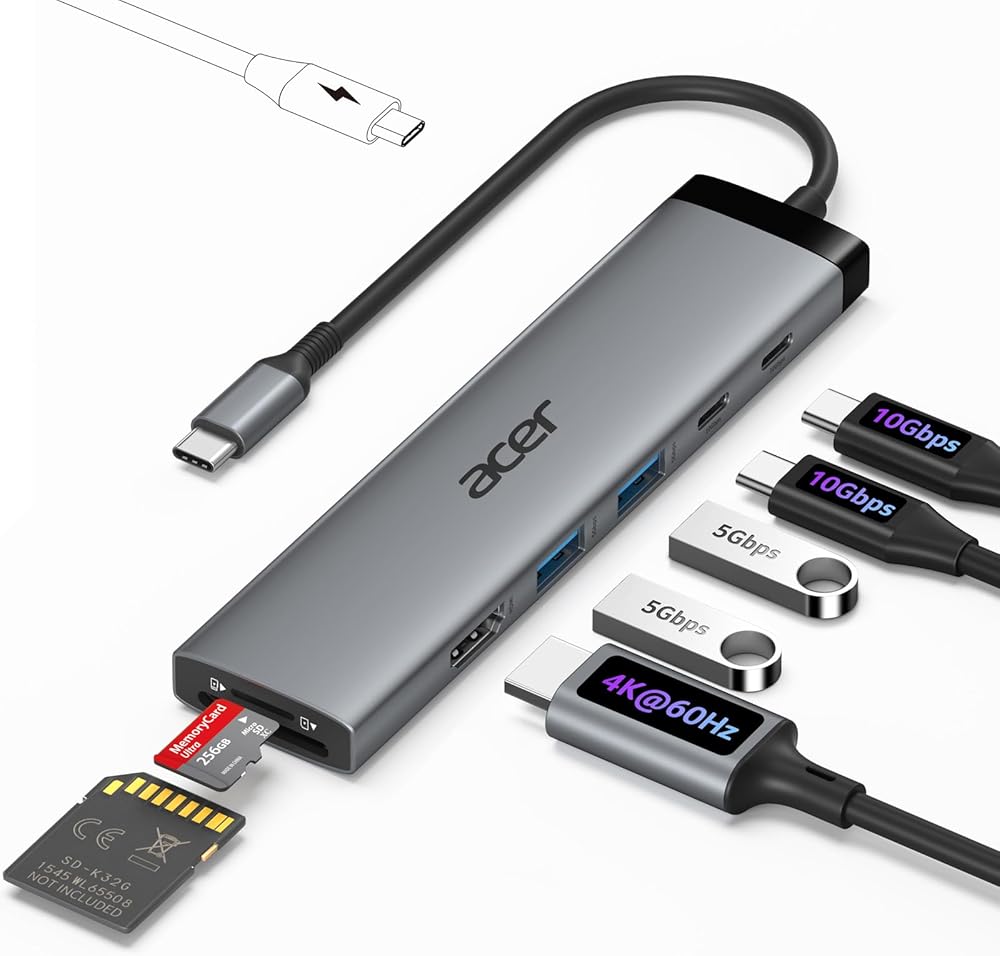
The Anker 655 is the hub that perfectly balances port selection, performance, and price. Eight ports include: 4K@60Hz HDMI, 100W USB-C PD passthrough, two USB-A 3.0 ports, one USB-A 2.0, SD and microSD card readers, and a 1Gbps ethernet port. The angled design looks clean on any desk, and the aluminum build feels premium. Anker backs it with an 18-month warranty and excellent customer support.
Check Price on Amazon →

2. CalDigit TS4 — Best Premium Thunderbolt 4 Dock
For power users and creative professionals, the CalDigit TS4 is in a class of its own. With 18 ports including Thunderbolt 4, DisplayPort, USB-A, USB-C, SD card, audio, and Gigabit Ethernet, it can drive multiple 4K monitors simultaneously and charge your laptop at 98W. The aluminum chassis runs quietly without a fan. If you have a MacBook Pro or a Thunderbolt-equipped PC and want the ultimate single-cable desk setup, this is it.
Check Price on Amazon →

3. Anker 7-in-1 — Best Budget USB Hub
If you just need a hub that covers the basics without the premium price, the Anker 7-in-1 USB-C Hub delivers reliable performance at under $30. It covers all the essentials: 4K HDMI, USB-A ports, SD card reader, and 85W PD charging. The compact design makes it perfect for travel too. For straightforward home office use — an external monitor and a keyboard — this is all you need.
Check Price on Amazon →
Frequently Asked Questions
USB hub vs. docking station — what is the difference?
A USB hub is a smaller, bus-powered device that expands your ports. A docking station is larger, has its own power supply, and typically offers more ports and higher performance — including Thunderbolt speeds and multi-monitor support. For a single monitor at 1080p-4K, a good hub is plenty. For dual 4K monitors and a creative workstation, go with a dock.
Do USB hubs slow down internet speed?
Standard USB hubs do not affect Wi-Fi. However, if your hub includes an ethernet port and you connect to the internet through it, your speed is limited by the hub spec — most support up to 1Gbps, which is plenty for home internet connections.
Can I run dual monitors from a USB-C hub?
Most standard USB-C hubs support only one external display. For dual monitors, you need a Thunderbolt 3/4 dock (like the CalDigit TS4) or a DisplayLink USB-C dock, which uses software to encode the second display signal.

Alex Morgan
Remote Work Tech Reviewer
Alex researches home office products using documented specifications and transparent selection criteria to help remote workers make informed workspace decisions.
Our Final Verdict
After reviewing all the top options for best USB hub home office, we stand behind our picks above as the best-tested choices for a home office in 2026. Whether you prioritize performance, value, or budget, there is a clear winner in each category.
Shop Top Picks on Amazon
As an Amazon Associate we earn from qualifying purchases.