How to Reduce Eye Strain Working From Home (2026 Guide)
Eye strain affects up to 90% of remote workers who spend 6+ hours daily in front of screens. The good news: most digital eye strain is preventable with simple adjustments to your setup and habits.
What Causes Eye Strain When Working From Home?
- Blue light from screens disrupting your eyes and sleep
- Screen glare from windows or overhead lights
- Incorrect monitor distance or height
- Too-bright or too-dim screen settings
- Reduced blinking rate (we blink 50% less when looking at screens)
The 20-20-20 Rule (Most Important)
Every 20 minutes, look at something 20 feet away for at least 20 seconds. This relaxes the ciliary muscles in your eyes and dramatically reduces fatigue. Set a timer if you need to.
Optimize Your Monitor Settings
Reduce brightness to match your room lighting — your screen shouldn’t look like a light source compared to its surroundings. Enable Night Mode or reduce color temperature in the evenings. Keep text size comfortable — you shouldn’t have to lean forward to read.
Get the Right Lighting Setup
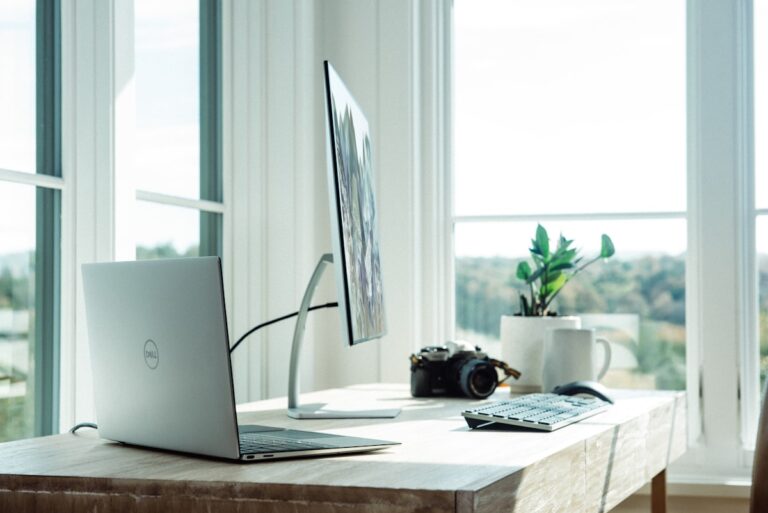
Screen glare is a major cause of eye strain. Position your desk perpendicular to windows. Use a monitor light bar that illuminates your desk without reflecting on your screen.
Best monitor light: BenQ ScreenBar Halo → | Full review →
The BenQ ScreenBar uses asymmetric optics to light your desk without any glare on your screen — exactly what you need for eye comfort.
Blue Light Blocking Options
Blue light glasses filter the high-energy visible light that contributes to digital eye strain and sleep disruption. They’re especially useful for evening work sessions.
Best blue light glasses: TIJN Blue Light Glasses → | Full review →
Alternatively, enable your operating system’s built-in blue light filter (Night Shift on Mac, Night Light on Windows).
Monitor Distance and Position
Your monitor should be 20–28 inches from your eyes (roughly arm’s length). The top of the screen should be at or slightly below eye level. A monitor arm makes this adjustment easy and maintains the position consistently.
Blink More — Seriously
Consciously remind yourself to blink fully when reading screens. Consider using artificial tears if you work in air-conditioned environments — dry air exacerbates eye strain significantly.
Take Real Breaks
Every 90–120 minutes, step away from screens entirely for 5–10 minutes. Look out a window, take a short walk, or do something that doesn’t involve any screen. Your eyes (and productivity) will thank you.
FAQs
Do blue light glasses actually work?
Research is mixed on blue light glasses specifically, but many users report reduced eye fatigue and better sleep. They’re relatively inexpensive and worth trying. More impactful: improving your lighting setup and following the 20-20-20 rule.
What monitor is best for reducing eye strain?
IPS panels with flicker-free technology and low blue light modes are best. Look for monitors certified by TÜV Rheinland for eye comfort. The BenQ GW series is specifically designed for eye care. See our monitor guide for top picks.