How to Set Up an Ergonomic Home Office in 2026 (Step-by-Step Guide)
An ergonomic home office setup doesn’t just reduce back pain — it boosts focus, reduces fatigue, and can add years to your career health. This guide covers every element you need to get right.
The 7 Elements of an Ergonomic Home Office
- Chair height — feet flat on floor, knees at 90°
- Desk height — forearms parallel to floor when typing
- Monitor position — top of screen at eye level, arm’s length away
- Keyboard and mouse placement — elbows at 90°, wrists neutral
- Lighting — no glare on screen, adequate ambient light
- Movement — standing breaks every 45–60 minutes
- Organization — frequently used items within arm’s reach
Step 1: Start With Your Chair
Your chair is the foundation of ergonomics. Set seat height so your feet are flat on the floor (or use a footrest). Your knees should be at a 90° angle. Lumbar support should sit in the curve of your lower back.
Best choice: Ergonomic Chairs Under $300 | Flexispot C7 Pro on Amazon →
Step 2: Set Your Desk Height
With your chair properly adjusted, your desk should allow your forearms to rest parallel to the floor while typing. Most fixed desks are too high — a standing desk converter or height-adjustable desk solves this instantly.
Best choice: Standing Desks Under $500 | Flexispot E7 on Amazon →
Step 3: Position Your Monitor Correctly
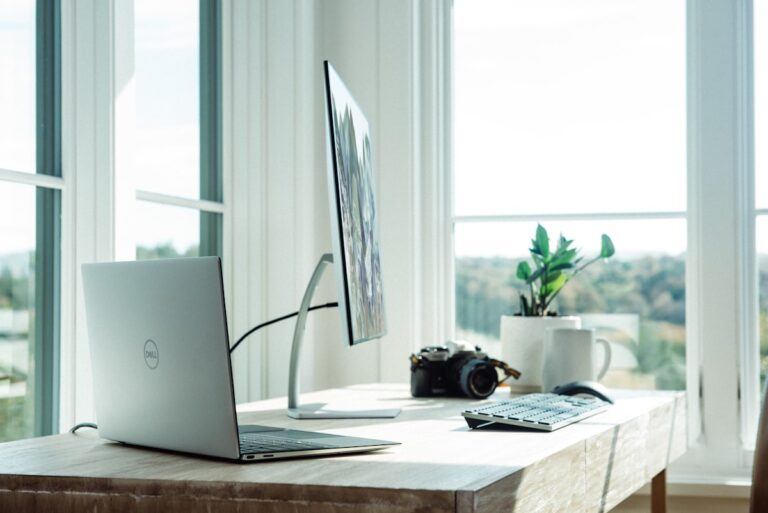
The top of your monitor should be at or slightly below eye level. Distance should be roughly one arm’s length (20–28 inches). If using dual monitors, center them on your primary viewing area. A monitor arm makes perfect positioning easy.
Step 4: Keyboard and Mouse Placement
Keep your keyboard and mouse at the same level, close enough that your elbows remain at roughly 90°. Your wrists should be neutral (not bent up or down). An ergonomic mouse like the Logitech MX Master 3S reduces wrist strain significantly.
Step 5: Get Your Lighting Right
Position your desk perpendicular to windows to avoid glare. Use a quality desk lamp for task lighting and a monitor light bar to eliminate screen reflections.
Ergonomic Home Office Checklist
✅ Chair adjusted to proper height | ✅ Feet flat on floor | ✅ Monitor at eye level | ✅ Keyboard at elbow height | ✅ No glare on screen | ✅ Wrists neutral while typing | ✅ Items within easy reach
FAQs
How much does an ergonomic home office setup cost?
A solid ergonomic setup starts around $500-800 (chair + desk + monitor arm). A premium setup runs $1,500-3,000. See our Ultimate Home Office Setup Under $1,000 guide for a complete breakdown.
What’s the most important ergonomic investment?
Your chair. You spend more time sitting in it than any other piece of equipment, and a bad chair does real physical damage over time.
Our Final Verdict
A proper ergonomic home office starts with a sit-stand desk and a chair with real lumbar support — those two changes alone eliminate the most common sources of back and neck pain. Invest in those first, then layer in monitor height, keyboard position, and lighting.
Get the Best Pick on Amazon
See Herman Miller Aeron on Amazon
As an Amazon Associate we earn from qualifying purchases.