Affiliate disclosure: As an Amazon Associate I earn from qualifying purchases. If you buy through a paid link below, we may earn a commission at no extra cost to you.
The “best” home-office keyboard depends on whether you need a number pad, wrist support, mechanical customization, or a compact board that moves between devices. This research-based shortlist uses current manufacturer specifications, layout, connectivity, software support, and workspace fit. It does not claim that we personally tested every keyboard.
Quick comparison
Keyboard
Best for
Layout / connection
Main tradeoff
Logitech MX Keys S
Quiet full-size productivity
Full-size; Bluetooth or Logi Bolt
Wide footprint; palm rest sold separately
Logitech Wave Keys
Familiar ergonomic transition
Compact full-size; Bluetooth or Logi Bolt
Wave shape is less portable
Keychron V6 Max
Mechanical feel and customization
100%; 2.4 GHz, Bluetooth, or wired
Heavier and taller than low-profile boards
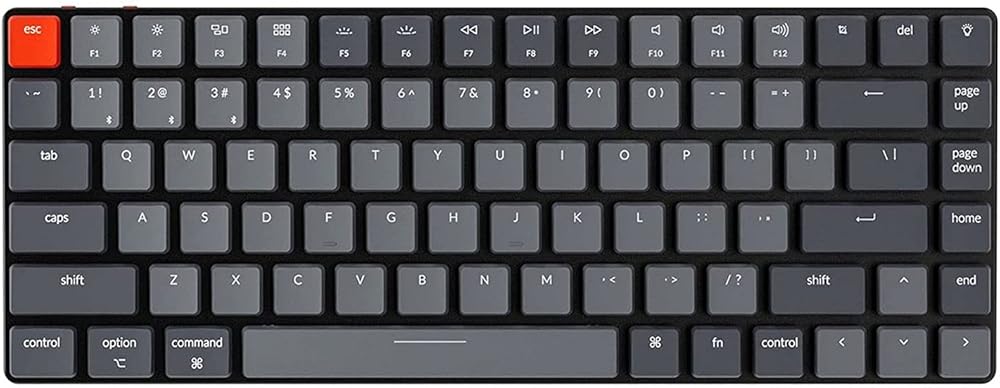
Logitech Pebble Keys 2 K380s
Small desks and travel
Compact; Bluetooth
No number pad or backlight
1. Logitech MX Keys S: best for quiet, full-size productivity
MX Keys S is a low-profile full-size keyboard with scissor keys, a number pad, backlighting, and multi-device switching. Logitech documents Bluetooth Low Energy and Logi Bolt connectivity, Easy-Switch for up to three devices, USB-C charging, hand-proximity backlighting, and ambient-light adjustment. The manufacturer rates battery life at up to 10 days with predefined backlighting settings or up to five months with backlighting off; real battery life varies by use.
Choose it if: you work in spreadsheets, want quieter typing than many mechanical boards, and regularly switch between computers.
Skip it if: your mouse space is limited or you want replaceable mechanical switches.
2. Logitech Wave Keys: best approachable ergonomic layout
Wave Keys uses a curved keyframe and an integrated cushioned palm rest while keeping a familiar layout. Logitech describes a compact frame designed to bring the mouse closer and Easy-Switch support for up to three devices. The business specification lists Bluetooth Low Energy and a Logi Bolt USB receiver. This is a less radical transition than a deeply split keyboard, but individual comfort and hand position still vary.
Choose it if: you want wrist support and a more natural hand position without relearning a split layout.
Skip it if: you need a very small travel keyboard or prefer a detachable palm rest.
3. Keychron V6 Max: best full-size mechanical option
The Keychron V6 Max is a 100% mechanical keyboard with 2.4 GHz wireless, Bluetooth 5.1, and wired connectivity. Keychron documents QMK/Launcher customization, Mac and Windows support, a gasket-mounted design, sound-absorbing materials, and double-shot PBT keycaps on assembled versions. Switch choice matters: different switch types change sound, force, and feel, so confirm the exact variant in the listing.
Choose it if: you want a number pad, remapping, macros, and a mechanical typing experience.
Skip it if: you need a thin keyboard, minimal desk depth, or the quietest possible shared-room setup.
4. Logitech Pebble Keys 2 K380s: best for a small desk
Pebble Keys 2 K380s is a slim compact Bluetooth keyboard with customizable shortcut keys and multi-device switching. It removes the number pad to give the mouse more room and is easier to move between rooms than the full-size options above. Its compactness is the advantage and the limitation: users who enter numbers frequently may prefer a separate keypad or full-size board.
Choose it if: you use a laptop, have a shallow desk, travel, or want one compact keyboard for several devices.
Skip it if: you rely on a number pad, need backlighting, or prefer full-size key spacing.
Layout: full-size for number-heavy work; compact for more mouse room.
Connection: confirm whether your computer supports Bluetooth and whether a receiver is included.
Operating system: check the physical key legends and software availability for Windows, macOS, ChromeOS, or Linux.
Height: taller mechanical keyboards may benefit from a palm rest.
Noise: scissor keyboards are often easier to share in calls; mechanical sound depends on switches and construction.
Device switching: useful only if the workflow actually moves between devices.
Return policy: feel is personal, so verify current seller and return terms before purchase.
Placement matters as much as the keyboard
OSHA’s workstation guidance recommends positioning the keyboard and mouse so the elbows stay close to the body and the wrists remain as straight as possible. A keyboard tray may help when desk space or chair armrests prevent adequate placement. See the OSHA keyboard guidance.
Our selection method
We compare official specifications, layout, connectivity, device switching, software support, workspace footprint, power method, warranty context, and the tradeoffs for a defined use case. We do not infer hands-on experience from customer ratings. Availability, variants, and specifications can change, so confirm the current product listing before buying.
Bottom line
Choose MX Keys S for quiet full-size productivity, Wave Keys for an approachable ergonomic shape, Keychron V6 Max for mechanical customization, or Pebble Keys 2 K380s for the smallest practical footprint. The right keyboard is the one that fits your hands, software, desk width, and daily workflow—not the one with the longest feature list.
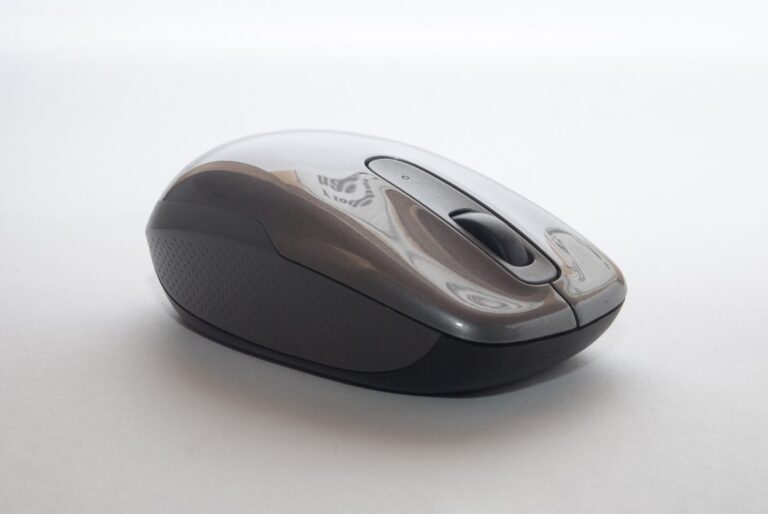
Discover the best wireless mice for your home office in 2026. Tested for comfort, precision, and battery life so you can work all day without wrist strain.
Desk space is precious when you work from home. The Logitech MX Keys Mini delivers a full typing experience in compact tenkeyless form without sacrificing features remote workers need.
Block distractions without breaking the bank. Our picks for the best noise-canceling headphones under $100 in 2026, tested for ANC performance and all-day comfort.
Research-BasedOfficial Sources CheckedUpdated RegularlyIndependent Editorial ⚡ Quick Verdict Best USB Microphone for Home Office 2026 The Blue Yeti remains the top all-around USB mic for remote workers — broadcast-quality audio, multiple pickup patterns, and a price that makes sense. Budget-conscious? The Fifine K678 delivers impressive clarity at under $40. 🏆 Best Overall: Blue Yeti💎 Premium:…
Cookie Consent
We use cookies to improve your experience on our site. By using our site, you consent to cookies.